30+ Powerful Theme Builder Template Creation Options

Full control over every part of your website
with 30+ theme builder templates

Break free from fixed layouts with Sifency Addons Theme Builder. Design every part of your website with pixel-perfect control, from header to footer, using the Elementor editor you already know.

How to use Theme Builder

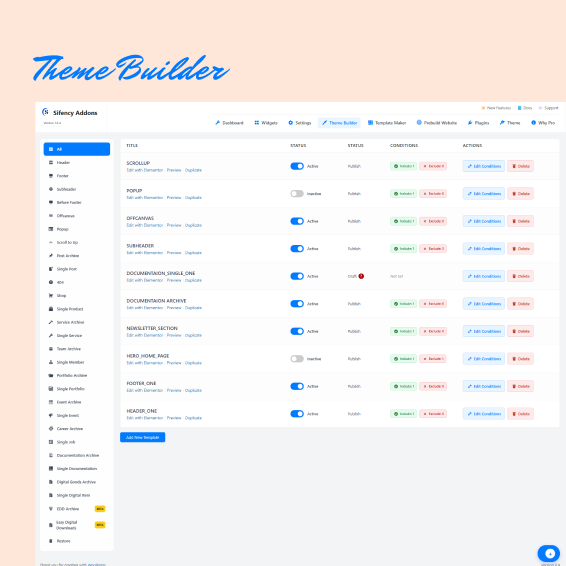
Open Theme Builder

Go to Dashboard → Sifency Addons → Theme Builder to access all template controls.

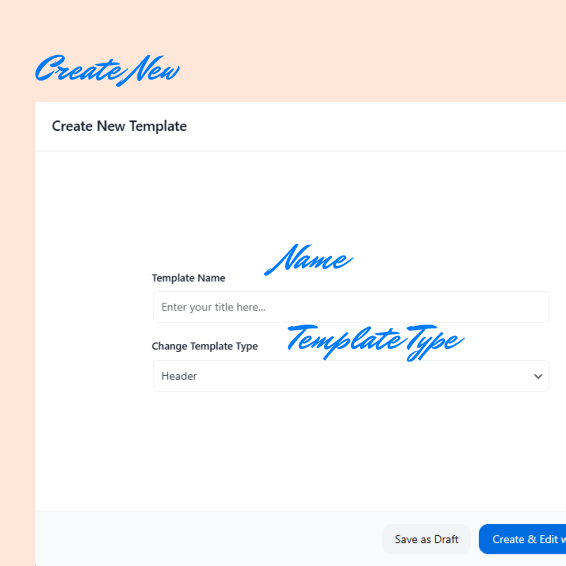
Choose Template Type

Select what you want to build. Header, Footer, Single Page, Archive, Custom Post Type layout, and more with 30+ template options.

Name Your Template

Enter a clear template name to keep your layouts organized.

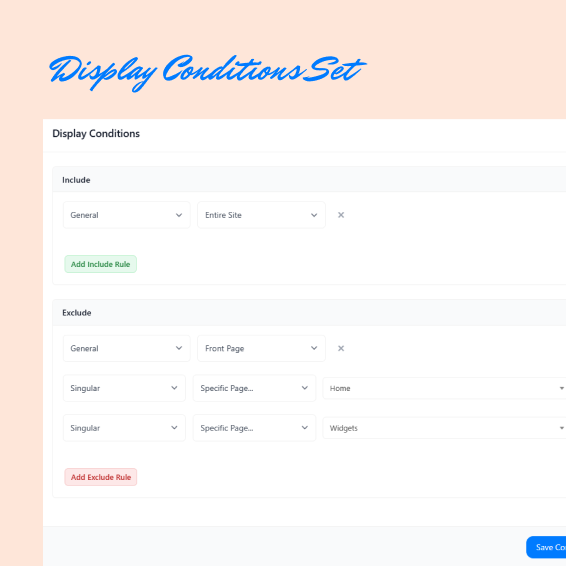
Set Display Conditions

Define where the template will appear: Include specific pages or posts and Exclude selected pages or posts

Enable or Disable

Turn the template ON or OFF anytime without deleting it.

Design and Publish

Click Edit with Elementor, build visually, then Publish your template instantly.

SCROLL